











How to Choose High CRI, Flicker-Free LED Studio Lights for Broadcast and Video
Ask any camera operator what ruins a shot faster than a bad lens and they will probably say the lighting. A presenter's face turns green under one fixture, red under another. Fix the white balance and the colour still shifts when the dimmer moves. On a live stream, faint dark bands roll down the frame. None of these problems show up on a specification sheet's headline wattage - and all of them come from choosing studio lights the way you would choose a work light.
If you are specifying fixtures for a broadcast studio, a streaming set, a corporate interview room or an education facility, this guide covers the numbers that actually decide how the picture looks. itc has manufactured LED studio lights for these environments, and the criteria below are the ones our engineers use when advising clients.
Why CRI and TLCI matter more than brightness
Every light source has a colour rendering score. CRI (Colour Rendering Index) describes how faithfully a lamp reproduces colours compared with natural light, on a scale to 100. TLCI (Television Lighting Consistency Index) was built specifically for cameras: it predicts how much correction a broadcast camera will need to make the image look right. A fixture can score well on CRI and still trouble a camera, which is why serious studio decisions look at both.
For on-camera work, aim for CRI 97 or higher and TLCI 95 or higher. That is not a marketing threshold - it is the point at which skin tones render naturally and a camera's auto white balance has very little to correct. itc's TL-SL301 LED Studio Light, for example, is specified at CRI ≥97 and TLCI ≥95, so a subject looks the same to the eye and to the sensor.
Brightness is a weaker predictor of a good image. A high-output fixture with poor colour rendering simply gives you more of the wrong colour, and corrections in post-production cannot restore detail that was never captured.
What "flicker-free" really means
Flicker is invisible to the eye but very visible to a camera, especially at high shutter speeds or in slow motion. It appears as moving bands or an exposure that pulses from frame to frame. The cause is usually the way a fixture dims: low-grade LED drivers pulse the light on and off rather than reducing current smoothly.
When you evaluate a flicker-free studio light, ask three questions:
- Is the dimming genuinely continuous? Fixtures should hold a steady output from full down to low levels without visible stepping.
- Does it stay stable at your camera's shutter angles? Broadcast and video work commonly uses 1/50, 1/60 and finer shutter settings; a good fixture is tested across that range.
- Is the driver quality consistent across the range? Ask whether the whole batch is tested, not just a sample.
Flicker is one of those issues you cannot fix in editing. It has to be designed out at the fixture level, so make it an explicit requirement in your specification rather than an assumption.
CCT range and the flexibility it buys you
Colour temperature, measured in kelvin (K), describes whether a light looks warm or cool. A fixed-temperature fixture locks you into one look; a bi-colour fixture that spans roughly 3000K to 6500K lets you match daylight through a window in the morning and warm tungsten-style ambience in the afternoon without swapping gels or fixtures.
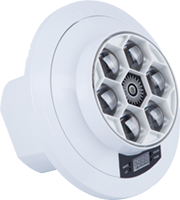
The TL-SL301 covers 3000-6500K with adjustable colour temperature, and the TL-SL336 LED Studio Light spans 2700-6500K. That range covers the vast majority of studio, interview and live-streaming scenarios. When you compare CCT specs, check that the stated range is continuous and that colour rendering remains high at both ends - some fixtures lose CRI at the extremes.
Beam control and output: match the fixture to the set
A studio is not one lighting problem. A close-up interview, a wide presenter shot and a product table each need a different beam. Rather than buying every fixture with the widest possible beam, match the optic to the job:
| Setup | Typical need | What to prioritise |
|---|---|---|
| Presenter / talking head | Soft, even key light at 1-3 m | High CRI/TLCI, adjustable CCT, smooth dimming |
| Small streaming set | Flexible key + fill in a tight space | Compact body, wide-ish beam, low noise |
| Broadcast studio | Consistent output across multiple fixtures | Batch consistency, stable driver, DMX/RDM control |
| Product / detail shots | Controlled spill, defined highlight | Narrower or zoom beam, accurate colour rendering |
Where your set changes between shots, a zoomable fixture such as the TL-SL336 (15-50° beam) reduces the number of different lights you need to hold in stock.
Noise and heat: the two things crews forget
A studio light lives close to the microphone. A fixture whose cooling fan is audible at one metre will ruin a quiet interview even if the picture is perfect. Ask for the noise specification, and check whether the fixture uses temperature-controlled fans that slow down at lower output. Thermal design also determines how long the LED and driver last: built-in NTC temperature control, as fitted on the TL-SL301 and TL-SL336, protects the emitter during long broadcasts.
Control and integration
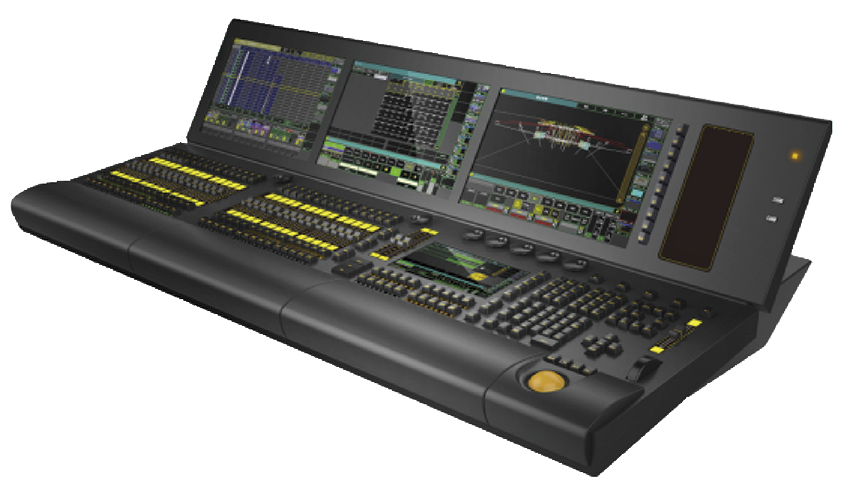
For a single-camera setup, on-board buttons are fine. Once a studio has several fixtures, DMX512 control with RDM lets you address, monitor and adjust every light from one console - and update firmware over the line. If your studio will grow, specify control capability from the start rather than retrofitting it later. Our stage and studio lighting range is designed around this kind of integration.
A pre-purchase checklist
- What is the camera shutter range you will actually shoot at?
- Do you need fixed CCT or a continuously adjustable bi-colour range?
- What CRI and TLCI figures are guaranteed, and across the full CCT range?
- What beam angles cover your closest and farthest subject?
- How noisy is the fixture at the output levels you will use most?
- Does it support DMX512/RDM for future expansion?
- Is thermal protection built in for long continuous sessions?
- Does the supplier offer consistent batches and long-term spare parts?
Frequently asked questions
Is a higher CRI always worth paying for?
For any content with people on camera, yes - skin tone is where poor rendering is most obvious. For purely decorative lighting with no people in frame, the priority shifts toward output and beam control. Choose against the actual use rather than the biggest number.
Can I mix studio lights from different models?
You can, but match the colour temperature and CRI/TLCI across the fixtures used on the same subject. Mixing a high-CRI key with a lower-quality fill is a common cause of inconsistent skin tones that no white-balance adjustment fully fixes.
What is the difference between CRI and TLCI?
CRI is measured against human vision; TLCI is calculated around how a broadcast camera reproduces colour. For video work, treat both as required figures - a strong score on only one is incomplete evidence.
How many lights does a small studio need?
Three is a practical starting point: a key, a fill and a back or hair light. A bi-colour, high-CRI fixture in each position covers interviews, product shots and presentations without a full re-rig between them.
Getting the picture right starts with the light, not the camera. If you share your set dimensions, camera shutter settings and the content you shoot, our team can recommend a studio lighting configuration built around it - talk to our lighting engineers.